
The NesTap app
Your home,
in your pocket.
One app for your NesTap home, in English and Bangla, in light or dark. It is in testing now; this page shows what we are preparing for launch.
Home
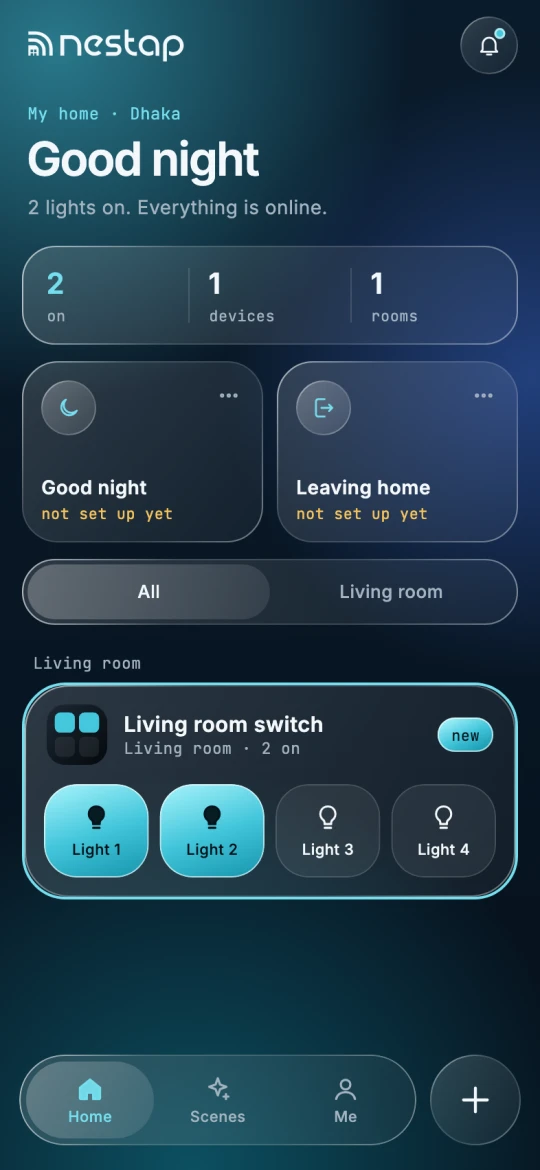
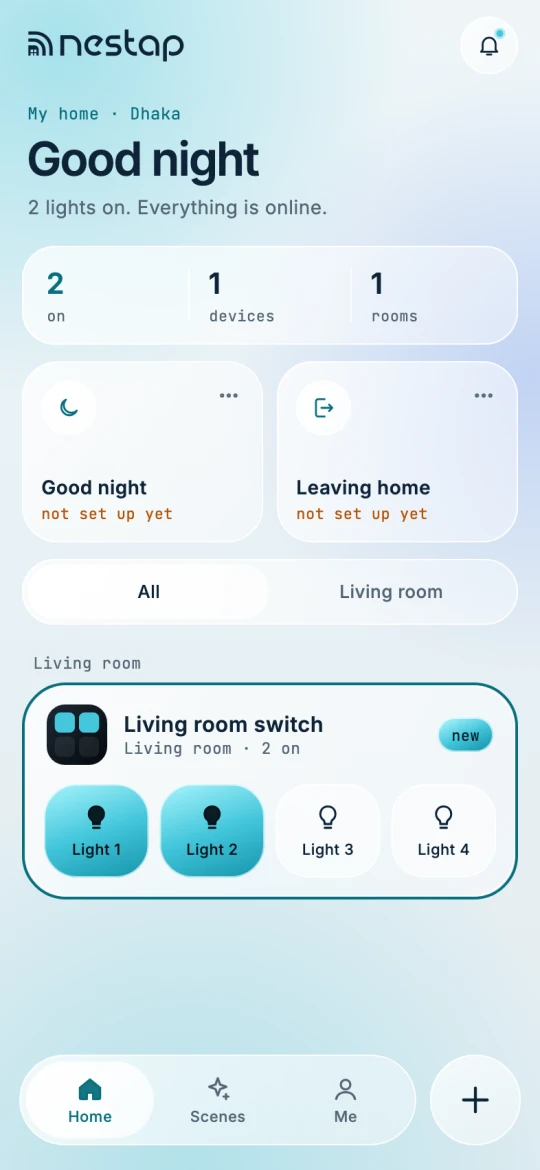
Your whole home
at a glance.
Open the app and see what is on, room by room. One tap switches any light; hold to turn a whole room off.
- Lights on, devices and rooms in one line
- Rooms as tabs, devices as cards
- Hold anywhere for all off
Every switch
Just like the wall,
only smarter.
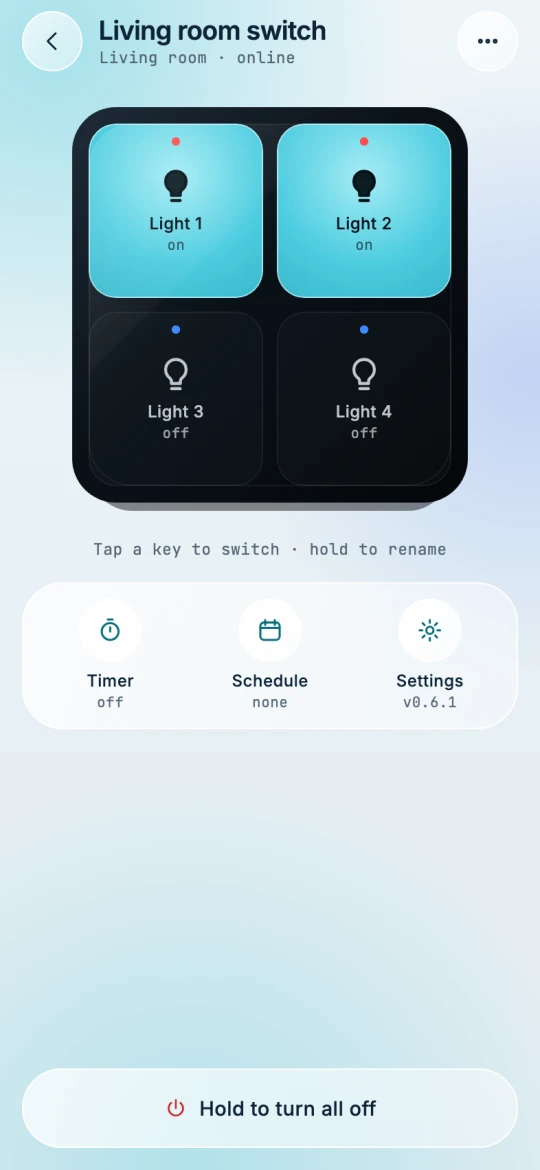
Each switch looks like the real panel on your wall. Tap a key to switch it, see its light live, and rename any key.
- Live state from the switch
- Rename keys and choose icons
- Signal, firmware and settings in one place
Timers and schedules
Set it once,
forget about it.
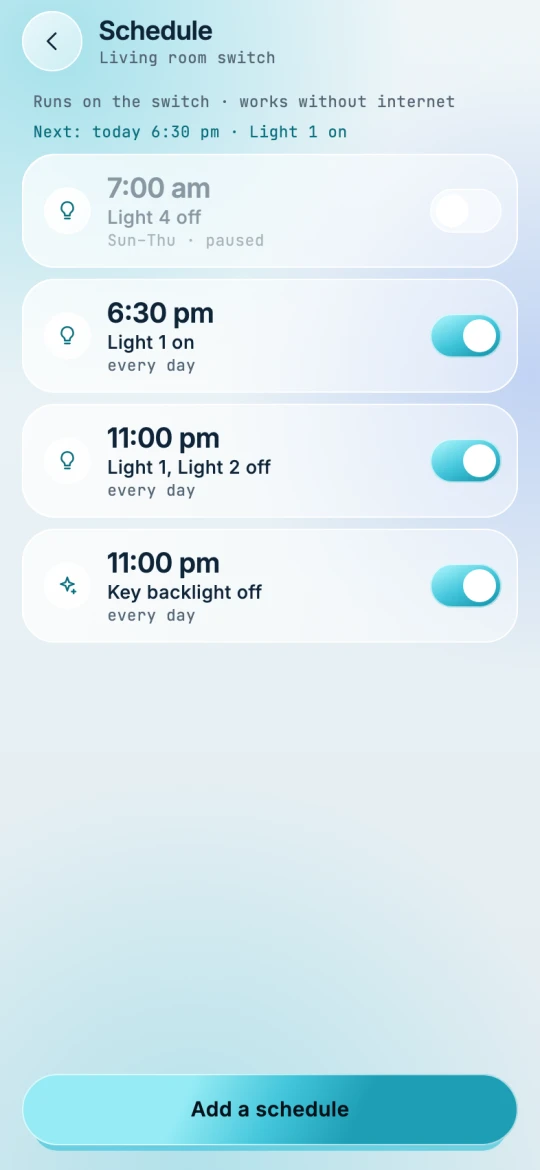
Turn the geyser off in 30 minutes, the porch light on in the evening, the backlight off at night. Schedules run on the switch itself, even when the internet is down.
- Countdown timers per key
- Weekly schedules, Saturday to Friday
- Runs on the device without internet
Scenes
Many lights,
one tap.
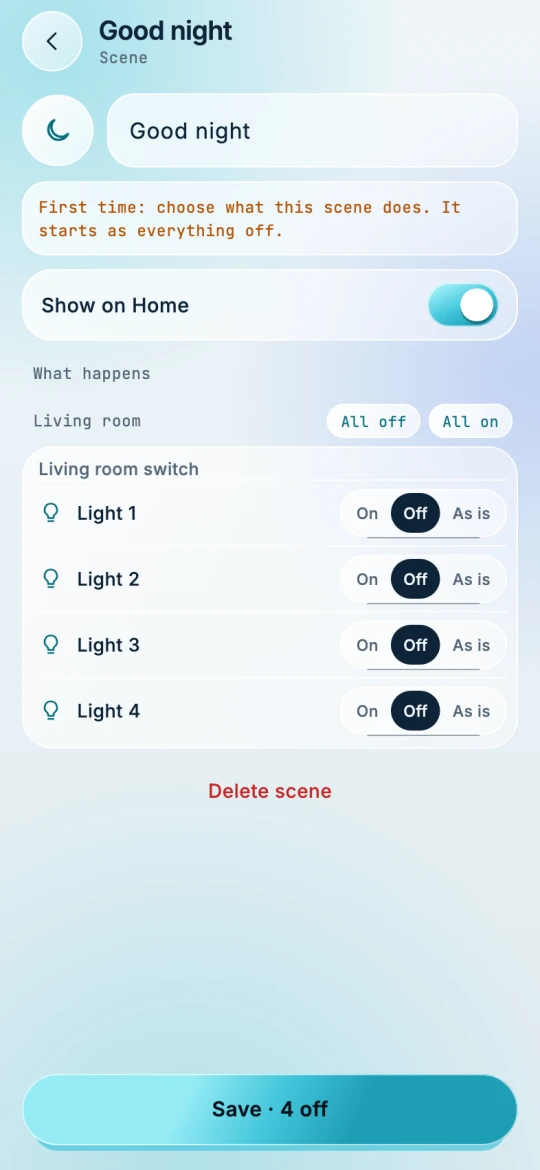
Good night, Leaving home, Movie time: choose what every key should do and run it all with one tap.
- On, off or leave as it is, per key
- Pin favourite scenes on Home
- Undo in 5 seconds
Updates
Always getting better.
With your OK.
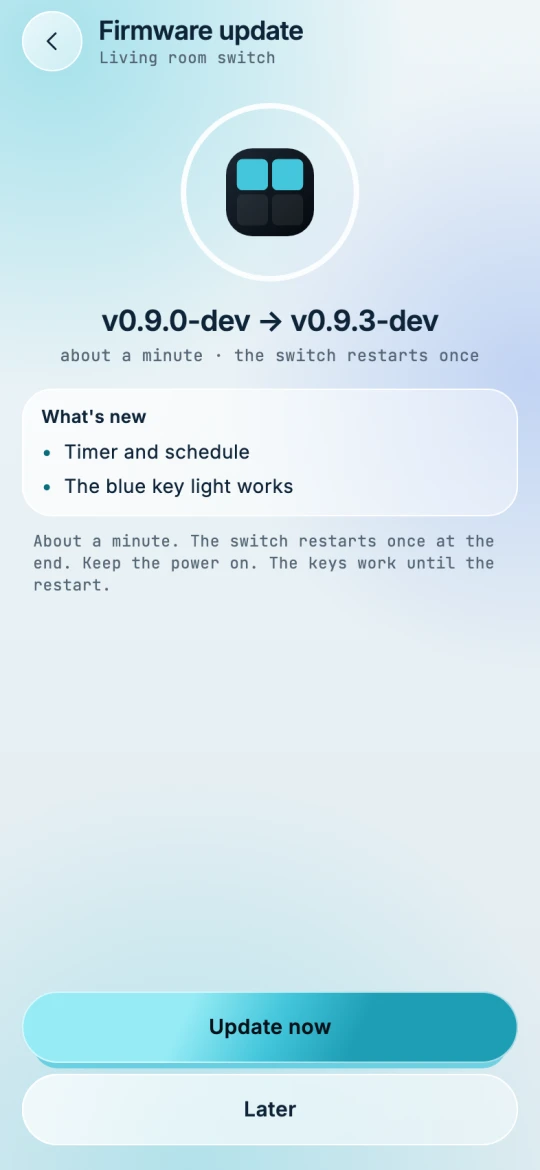
New features arrive as updates for your switches. The app shows what is new in plain words and nothing installs without your approval.
- What's new in two lines
- Update one switch or all
- Progress and result on screen
Family sharing
One home, the whole family.
Coming soon: invite family members by phone number. Owners and admins manage devices; members simply use them.
Owner
Everything
Admin
Devices and rooms
Member
Use and scenes
Always works
No internet? No problem.
Every switch works from the wall, always. When the internet is down, the app controls your devices nearby over Bluetooth, and timers and schedules keep running on the devices.
Add a device
Six steps, no hub.
STEP 1
Search
The app finds new NesTap devices nearby over Bluetooth.
STEP 2
Touch a key
Touch the key that lights up, to prove the switch is yours.
STEP 3
Choose Wi-Fi
Pick your home Wi-Fi from the list the switch sees.
STEP 4
Password
Type it once; the phone can remember it for the next device.
STEP 5
Connect
The switch joins Wi-Fi and the NesTap cloud by itself.
STEP 6
Name and room
Call it “Living room switch” and you are done.
Voice
Works with
your voice assistant.
Coming soon: link your NesTap home to Google Home or Amazon Alexa, and your devices and scenes answer to your voice.

Google Home
“Hey Google, turn off the bedroom lights.”

Amazon Alexa
“Alexa, run Good night.”